
LLM SEO Structured Data: the complete WordPress guide

Quick answer
LLM SEO structured data are Schema.org tags (Article, FAQPage, HowTo) added to your WordPress pages to help AI engines understand and cite your content. On WordPress, they are implemented via Yoast, RankMath or automatic injection, and may contribute to better visibility in AI Overviews, ChatGPT and Perplexity depending on the topic.
AI engines don't read a page like a human: they extract entities, relationships and facts. Without structured data, a WordPress article remains an ambiguous block of text, hard for ChatGPT to cite precisely or to surface in AI Overviews. Schema.org markup acts as an explicit semantic layer that disambiguates author, organization, questions and procedures. The challenge is practical: implementing valid, consistent and maintained JSON-LD at scale on WordPress takes time and a solid grasp of the types. Between Yoast, RankMath and dedicated Schema plugins, the landscape is fragmented. This guide details which types to prioritize for LLMs, how to implement them concretely in the WordPress interface, and how tools like Selfhook automate this injection. The goal isn't to ensure citations, but to maximize the chances of being understood and reused, to be measured in Search Console and in generative responses.
Definition
LLM SEO structured data refers to the set of Schema.org markups designed to make WordPress content interpretable and citable by large language models such as ChatGPT, Gemini or Perplexity.
Why do structured data matter for LLMs on WordPress?
Large language models increasingly rely on web content they must interpret quickly and reliably. Structured data provides machine-readable context that reduces ambiguity: who the author is, which organization publishes, which precise question a section answers. On WordPress, this layer takes the form of a JSON-LD block injected into the `<head>` or at the end of the page, generally generated by Yoast or RankMath. Google has confirmed that markup helps understand content, and although LLMs don't always directly exploit raw Schema, it strengthens the consistency of the indexing ecosystem on which AI Overviews and Gemini rely. The observed benefit is twofold. First, entity disambiguation: a `Person` linked to an `Organization` via Schema helps an engine correctly attribute expertise, which may contribute to the E-E-A-T signal. Second, granularity: a `FAQPage` isolates question/answer pairs directly citable by Perplexity or ChatGPT. In some cases, these structured excerpts are reused almost word for word in generative responses. On WordPress, a frequent mistake is to multiply plugins that each generate their own Schema, creating duplicates or conflicts. It's better to centralize markup logic on a single consistent engine. To go deeper into the overall mechanics, see our generative-engine-optimization-guide, which places structured data within a broader GEO strategy.
Which Schema.org types should you prioritize for LLM SEO?
Not all Schema.org types are equal for LLM citability. Some structure atomic facts that are easy to extract, others remain decorative. On WordPress, you must align the markup type with the page's actual content type, otherwise you generate invalid Schema flagged by Google's Rich Results Test. The most useful types for AI engines are generally the following:
- Article: the base framework for any editorial content, with headline, datePublished and author — automatically applied by Yoast on WordPress posts.
- Person: identifies the author as a real entity, ideally linked to external profiles via the sameAs property.
- Organization: ties content to an identifiable publisher, reinforcing the reliability perceived by Gemini and ChatGPT.
- FAQPage: isolates question/answer pairs, a format widely cited by Perplexity and AI Overviews.
- HowTo: structures tutorials into sequential steps, suited to procedural WordPress content.
How to implement structured data on WordPress?
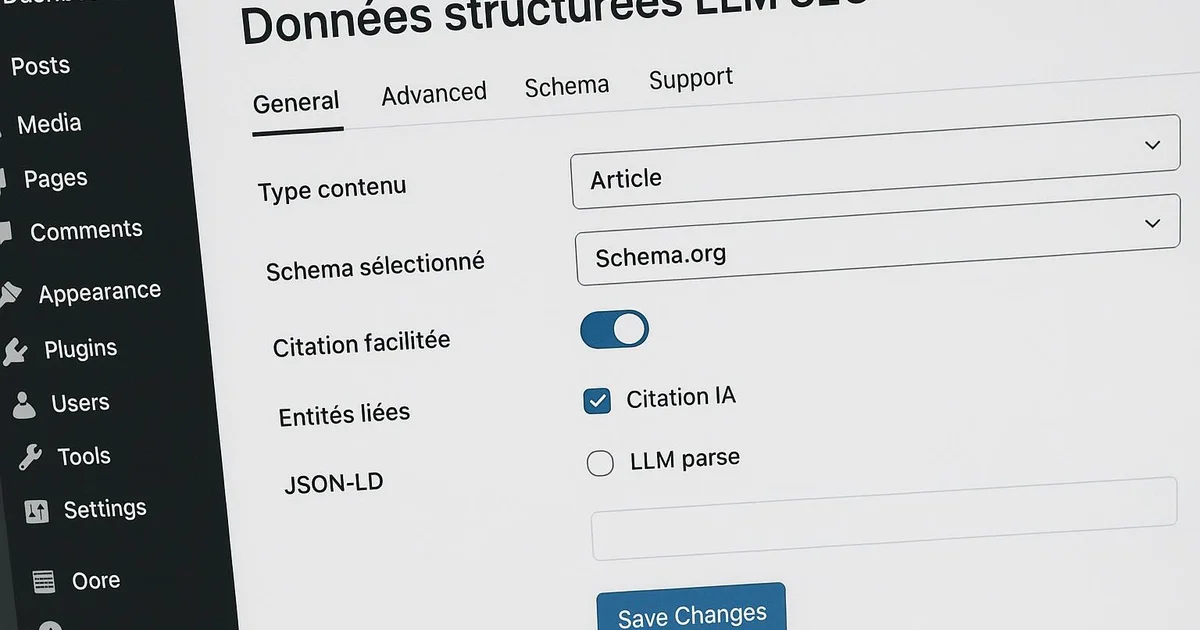
Concrete implementation on WordPress follows three paths, depending on your technical level and the volume of pages to handle. The first is to use Yoast SEO: the extension natively generates a Schema graph linking WebPage, Article, Person and Organization. In each article's Yoast tab, you can define the main content type (Article, by default) and fill in author and organization information in the global settings. RankMath offers a more granular approach via its "Schema Generator", which lets you manually add FAQPage or HowTo to an article through dedicated blocks in the Gutenberg editor. The second path relies on native Gutenberg blocks or specialized Schema plugins, which expose "FAQ" or "HowTo" blocks inserting the corresponding JSON-LD automatically. The advantage: markup stays synchronized with visible content, avoiding divergences penalized by Google. The third path, for large volumes, consists of injecting Schema via the WordPress API or a `wp_head` hook, programming the JSON-LD based on post type. Whatever the choice, validation is essential: test each page template in the Rich Results Test and monitor the "Enhancements" report in Search Console. Invalid Schema isn't exploited and may, in some cases, be ignored by AI engines. To fully automate this layer, see our article schema-markup-automatique-seo, which details injection strategies at scale.
With Selfhook, structured data injection is automated at WordPress publishing time. During AI generation of an article, Selfhook detects the content type — editorial, FAQ or tutorial — and injects the most relevant Schema.org: Article and Person for a standard post, FAQPage for a question/answer section, HowTo for a step-by-step. These markups are linked to your Organization, configured once. Concretely, a writer publishes their content, and Selfhook applies valid JSON-LD without manual intervention, consistent with Yoast. The built-in SEO audit flags pages lacking LLM-exploitable markup, letting you prioritize fixes.
Selfhook centralizes content generation, SEO/GEO optimization, WordPress publishing and tracking in a single workflow.
See all features →FAQ
Do LLMs read Schema.org directly?
Not always directly. LLMs mainly rely on text and on Google's indexing ecosystem, which exploits Schema. Valid markup strengthens entity consistency and may contribute to better citations, but no effect is recommended: it should be measured in Search Console and in generative responses.
Yoast or RankMath for LLM structured data?
Both work. Yoast generates a consistent Schema graph by default, ideal for Article and Organization. RankMath offers more manual granularity for FAQPage and HowTo via Gutenberg. The choice depends on your need: simple automation or fine per-page control.
Does FAQPage Schema improve citations by ChatGPT?
In some cases, yes. FAQPage isolates question/answer pairs that Perplexity and AI Overviews easily reuse. On WordPress, implement it via a native FAQ block or RankMath. Our article faq-schema-seo-llm-citations details this approach.
Should you avoid Schema duplicates on WordPress?
Yes, absolutely. Multiple plugins each generating their own Schema create conflicts and duplicated markup that Google may ignore. Centralize the logic on a single engine and validate each template with the Rich Results Test.
An often-overlooked point: the Person type's `sameAs` property. Linking your WordPress author to their verifiable external profiles (LinkedIn, professional profile, authority databases) helps engines consolidate the entity and attribute expertise. On WordPress, Yoast exposes these fields in author settings, but they often remain empty. An isolated `Person`, without `sameAs` or ties to an `Organization`, provides a weak signal. Real value comes from the linked graph, not from the type taken in isolation — it's this consistency that LLMs exploit indirectly.
Sources
- Schema.org documentation — Official reference for types and properties (Article, Person, FAQPage, HowTo) used in markup.
- Google Search Central — Structured Data — Official guidelines on markup implementation and validation, and its role in content understanding.
- Google Rich Results Test — Validation tool that verifies whether a WordPress Schema is exploitable and error-free.
Related cluster articles
Reference guides
Automate with Selfhook
Conclusion
LLM SEO structured data doesn't ensure citations, but it reduces the ambiguity that prevents AI engines from understanding and reusing your content. On WordPress, prioritizing Article, Person, Organization, FAQPage and HowTo, centralizing logic via Yoast or RankMath, and validating each template remains the foundation of a solid semantic layer. The stakes lie in graph consistency more than in the isolated type. To deploy this markup at scale without manual intervention, Selfhook automatically injects the most effective Schema.org by content type, at publishing time. Then measure the effects in Search Console, section by section.
Ready to automate your SEO content?
Book a 30-minute video demo: we show you Selfhook on your WordPress site, from SEO audit to publishing.
Request a demo