
FAQ Schema for AI Overviews: WordPress Optimization Guide
Quick answer
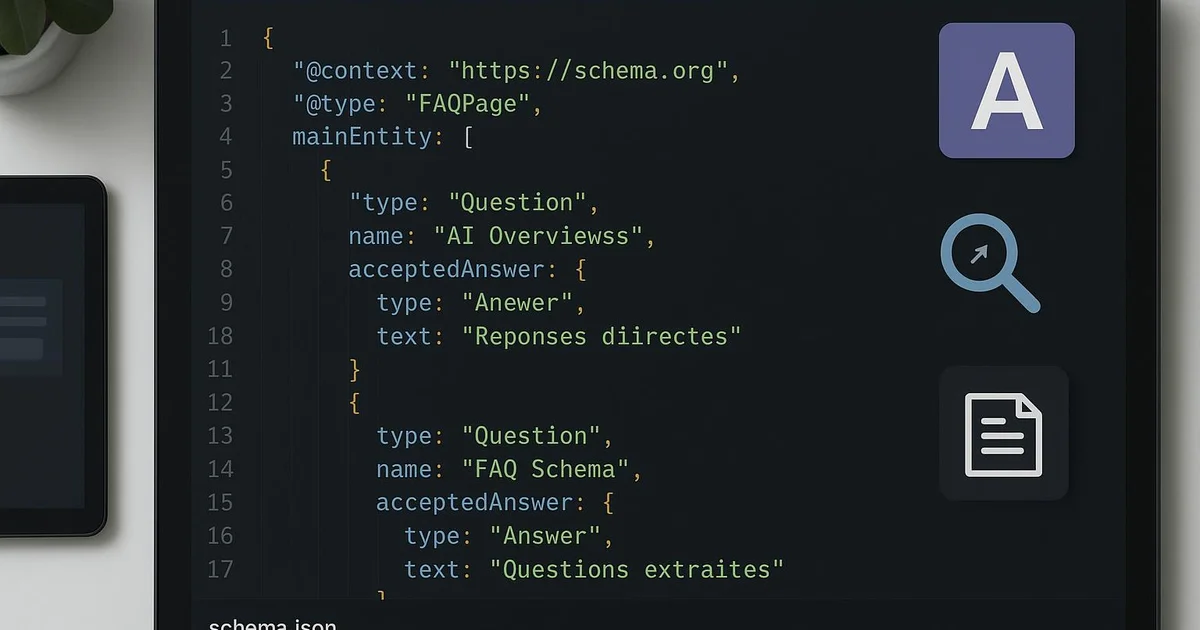
FAQ Schema on WordPress involves injecting JSON-LD markup of type FAQPage into your articles, via a plugin like Yoast or RankMath, or through automation. This structured format helps Google and AI engines extract citable question-answer pairs, which can contribute to increased presence in AI Overviews depending on the topic.
Google's AI Overviews and answers generated by ChatGPT or Perplexity draw on content they deem structured and reliable. Yet a significant share of WordPress sites publishes FAQs as plain text, without machine-readable markup. The result: this content remains difficult for AI engines to extract. FAQ Schema, encoded in JSON-LD of type FAQPage, fills this gap by explicitly exposing each question-answer pair. On WordPress, this markup can be added via Yoast, RankMath, a dedicated Schema plugin, or automated. This article details how to structure a compliant FAQ Schema, where to integrate it within the WordPress ecosystem, and how to measure its real effect in Search Console. Selfhook automates this injection at site scale, but the principles presented here apply regardless of your implementation method.
Definition
FAQ Schema is a structured JSON-LD markup of type FAQPage that describes a list of questions and answers within a page, allowing Google and AI engines to reliably identify and cite that content.
Why does FAQ Schema matter for AI Overviews?
Generative engines like Google AI Overviews, ChatGPT, or Perplexity work by extracting concise, directly citable passages. A question-answer pair marked up in FAQPage is precisely this type of atomic unit: an explicit question, a self-contained answer. Unlike a narrative paragraph, where the model must guess the boundaries of relevant information, FAQ Schema unambiguously delineates what answers what. On WordPress, this advantage translates concretely. When an article contains an FAQ block marked up via Yoast (the Gutenberg editor's "FAQ" block) or RankMath, the content is exposed as JSON-LD in the page source code. Google can then display FAQ rich results in standard results, and AI models have an additional structural signal to identify citable answers. We must stay measured: markup ensures no citation. Google actually restricted the display of classic FAQ rich results starting in 2023. However, the value of markup for extraction by AI engines remains observed in many cases, as it improves the machine readability of content. The benefits generally observed include:
- Better segmentation of answers for LLM extraction
- Potential eligibility for FAQ rich results depending on the query
- Reinforcement of the page's semantic mesh for topical authority
- Consistency between visible and structured content, valued by engines
How to add FAQ Schema on WordPress?
On WordPress, several approaches allow you to inject a compliant FAQ Schema, each with its own technical constraints. The choice depends on your stack and publishing volume. The most accessible method uses the Gutenberg editor. Yoast SEO provides a native "FAQ" block: you add the block, enter your questions and answers, and Yoast automatically generates the corresponding FAQPage JSON-LD, integrated into its global Schema graph. RankMath offers an equivalent feature via its Schema block, with a more granular editor for customizing properties. For sites managing large volumes, manual block-by-block injection quickly becomes unmanageable. Two alternatives exist: dedicated Schema plugins (like Schema Pro or WP SEO Structured Data Schema), or programmatic injection via the WordPress REST API and the `wp_head` hook. This last approach allows generating markup from a custom field or template, without repeated editorial intervention. Whatever the method, a few rules condition validity:
- Marked-up content must be visible to the user on the page — Google rejects hidden FAQ Schema
- Each `Question` must contain a non-empty `acceptedAnswer`
- Avoid promotional or duplicated content in answers
- Validate the markup with Google's Rich Results Test before publishing
How to structure FAQPage JSON-LD correctly?
A valid FAQ Schema relies on a precise JSON-LD structure. The root type is `FAQPage`, containing a `mainEntity` property that lists objects of type `Question`. Each `Question` has a `name` (the question title) and an `acceptedAnswer` of type `Answer`, whose `text` property contains the answer. This hierarchy must faithfully reflect the visible content. On WordPress, if you use Yoast or RankMath, this structure is generated automatically and complies with Schema.org specifications. However, if you inject the markup manually via `functions.php` or a code plugin, you must ensure the JSON-LD is properly encapsulated in a `<script type="application/ld+json">` tag and integrated into the `<head>` or end of `<body>`. For optimization toward AI engines, wording matters as much as structure. Questions should mirror real user phrasings — those observed in Search Console queries or suggested by autocomplete functions. Answers must be self-contained: an AI model may extract an answer without its context, so it must stand on its own, ideally in 40 to 60 words. An often-overlooked point: consistency between multiple markups on the same page. If Yoast already generates an `Article` and `WebPage` graph, your `FAQPage` should attach to it via `@id` properties rather than creating a competing graph. This approach is detailed in our json-ld-ai-overviews-wordpress guide. Fragmented or contradictory markup reduces the trust Google places in your structured data.
How to measure the impact of FAQ Schema?
Measuring the real effect of FAQ Schema requires rigor, since no report directly links markup to a citation in AI Overviews. You must therefore cross-reference several signals available in WordPress and Google's tools. The first checkpoint is Google Search Console's "Rich Results" report. It indicates whether your FAQPage pages are properly detected, valid, or in error. An increase in the number of valid FAQ elements confirms that your WordPress implementation works technically. Then, the "Performance" report lets you observe the evolution of impressions and clicks on question-formatted queries, often correlated with FAQ content. For AI engines, measurement remains indirect. You can manually monitor whether excerpts of your answers appear in AI Overviews on target queries, or use emerging generative visibility tracking tools like certain Semrush features. These methods remain approximate and should be interpreted with caution. A few indicators to monitor regularly:
- Number of valid FAQPage elements in Search Console (Enhancements tab)
- Impressions on interrogative queries in the Performance report
- Click-through rate compared before/after markup injection
- Manual presence of your answers in AI Overviews on a sample of queries
With Selfhook, FAQ Schema injection is automated at every WordPress publication. During AI generation of an article, Selfhook identifies relevant questions tied to the topic and produces self-contained question-answer pairs, then injects compliant FAQPage JSON-LD directly into the content — without manual manipulation of the Gutenberg block. The markup stays consistent with the site's existing Schema graph and respects the visibility constraint imposed by Google. Combined with the integrated SEO audit, this allows deploying homogeneous FAQ Schema across hundreds of articles, a format we consider among the most effective for citability by AI engines.
Selfhook centralizes content generation, SEO/GEO optimization, WordPress publishing and tracking in a single workflow.
See all features →FAQ
Does FAQ Schema ensure appearance in AI Overviews?
No. Markup improves the machine readability of your answers and can contribute to their extraction, but no citation is recommended. Google and AI engines select sources based on many criteria, including relevance and topical authority.
Yoast or RankMath for FAQ Schema on WordPress?
Both generate valid FAQPage JSON-LD via a dedicated Gutenberg block. Yoast integrates it into its global Schema graph, favoring consistency. RankMath offers a more granular editor. The choice mainly depends on the plugin already installed on your site.
Does the FAQ need to be visible to the user?
Yes. Google requires that FAQPage-marked content be visible on the page. FAQ Schema covering hidden or absent content may trigger a manual action or cause the markup to be ignored.
How many questions should a FAQ Schema include?
There is no universal optimal number. Three to six natural questions, genuinely relevant to the page, are generally sufficient. Favor quality and answer autonomy over volume, which does not mechanically improve citability.
Often-overlooked technical point: since 2023, Google has sharply reduced the display of FAQ rich results in classic SERPs, reserving them for government and health sites. Many conclude that FAQ Schema has become useless. This is a misinterpretation. The value of the markup has shifted toward extraction by generative engines, where explicit question-answer segmentation remains an exploitable structural signal. Maintaining a clean FAQPage consistent with the site's Schema graph therefore retains its value, even without a visible rich result.
Sources
- Google Search Central Documentation — FAQPage structured data — Official specifications of FAQPage markup, eligibility rules, and content visibility constraints.
- Schema.org — FAQPage type — Reference definition of the mainEntity, Question, and acceptedAnswer properties used in the JSON-LD.
- Yoast SEO Documentation — FAQ block — How the Gutenberg FAQ block works and its integration into the global Schema graph generated by Yoast.
Related cluster articles
Automate with Selfhook
Conclusion
FAQ Schema remains a relevant lever on WordPress, no longer so much for classic rich results but for citability by AI Overviews and generative engines. Its value rests on three pillars: compliant FAQPage JSON-LD, consistency with the existing Schema graph, and self-contained answers phrased from real queries. Measurement remains indirect and requires cross-referencing Search Console with manual observation. To deploy this markup homogeneously at site scale, Selfhook automates the generation and injection of FAQ Schema at every publication, while respecting the visibility constraints imposed by Google.
Ready to automate your SEO content?
Discover how Selfhook can help you create and publish quality SEO content
Start for free