
GEO WordPress Best Practices 2026: The Guide
Quick answer
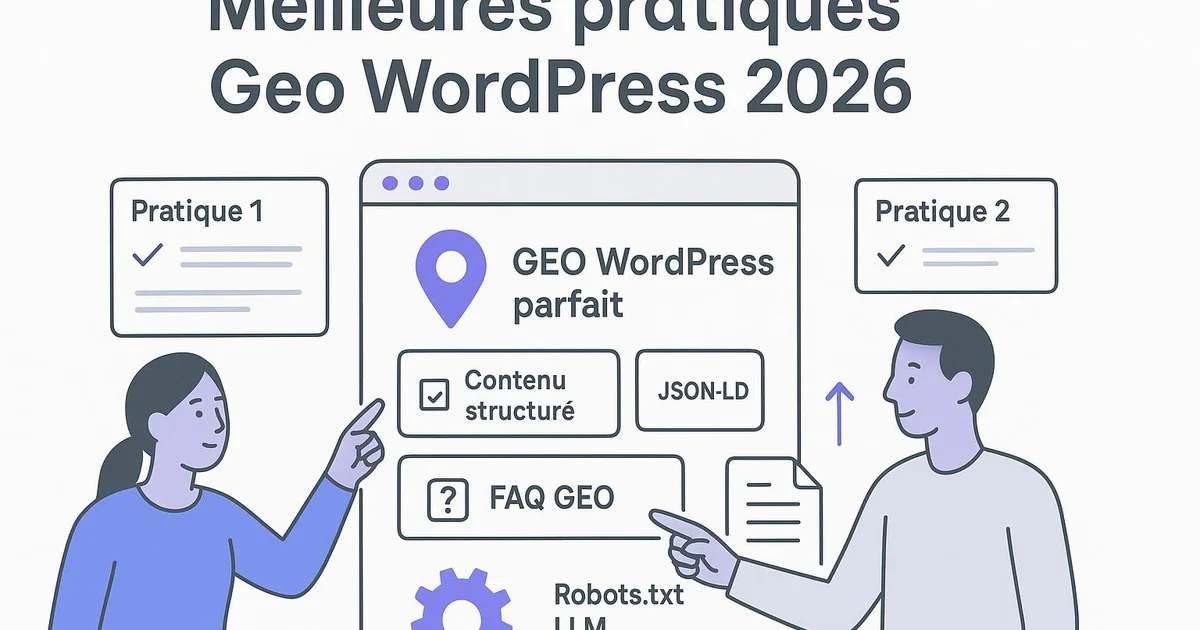
GEO WordPress best practices in 2026 mean structuring every page to be cited by AI engines: direct answers at the top of content, structured data via Yoast or RankMath, LLM-optimized crawlability and topical authority through clusters. The goal is to make each WordPress article easily extractable by ChatGPT, Gemini, Perplexity and Google AI Overviews.
In 2026, a growing share of searches no longer ends with a click but with an AI-generated answer. ChatGPT, Perplexity and Google AI Overviews draw their responses from sources they deem reliable and easy to extract. For a WordPress publisher, the question is no longer just "how do I rank?" but "how do I get cited?". That's where GEO comes in. The problem: much GEO advice stays generic and ignores the real context of your CMS. Yet everything plays out inside WordPress: how your content is structured, your plugins (Yoast, RankMath), your structured data and your internal linking. This guide details the GEO WordPress best practices you can concretely apply in 2026, plugin by plugin, setting by setting. Selfhook natively automates much of this, but understanding the "why" remains essential to steer your strategy.
Definition
GEO (Generative Engine Optimization) is the set of practices used to optimize a WordPress site so it becomes visible and citable by AI-based answer engines such as ChatGPT, Perplexity or Google AI Overviews.
Why does GEO change the game for WordPress in 2026?
Classic SEO optimizes for ranking within a list of blue links. GEO optimizes for extraction: providing an AI engine with a clean, self-contained, verifiable answer it can cite directly. On WordPress, this transforms how we write and structure an article. Google AI Overviews, ChatGPT and Perplexity don't read your page like a human: they look for text blocks that are easy to isolate and tied to clear context. A well-optimized GEO WordPress article therefore combines the best of SEO (indexing, authority, internal linking) with LLM-specific signals (direct answers, named entities, structured data). In 2026 these two dimensions don't conflict—they reinforce each other, as detailed in our geo-seo-wordpress-complements article.
- SEO targets the position; GEO targets the citation
- LLMs extract self-contained blocks, not whole pages
- WordPress remains the technical control point of any GEO strategy
How to structure WordPress content to be cited by AI?
The first GEO practice is placing a direct answer at the top of the article, ideally within the first 40 to 80 words. On WordPress, this can be a clearly worded opening paragraph or a reusable "Quick answer" block in the Gutenberg editor. Next, every H2 section should answer a specific question: AI engines favor titles phrased as questions. Use native Gutenberg blocks (headings, lists, tables) rather than custom HTML that is hard to parse. Yoast SEO can help you check heading hierarchy and readability. Always define a technical term before using it: LLMs value self-sufficient passages that require no external context to be understood.
- Direct answer at the start of the article (40-80 words)
- H2 headings phrased as questions
- Native Gutenberg blocks rather than complex HTML
- Explicit definitions of technical terms

Which structured data should you prioritize on WordPress?
Structured data (schema.org) helps AI engines understand the type and context of your content. On WordPress, Yoast SEO and RankMath automatically generate a base Schema graph (Article, WebPage, Organization). To go further, enable FAQPage and HowTo schemas when they genuinely match the content: in Yoast, the FAQ and HowTo Gutenberg blocks inject the markup automatically. RankMath offers a more flexible schema generator in the Schema tab of each article. The goal isn't to stack tags but to associate each page with the right entity and content type. Consistent markup can contribute to improving AI Overviews eligibility—something to measure in Search Console via the rich results report. See also our wordpress-ai-overviews-guide for details.
- Article and WebPage generated by Yoast or RankMath
- FAQPage via Gutenberg FAQ blocks
- HowTo for procedural content
- Verification in Search Console (rich results)
How to optimize LLM crawlability and topical authority?
AI engines must be able to access your content and understand your topical expertise. For crawlability, make sure your robots.txt doesn't block AI bots (GPTBot, PerplexityBot, Google-Extended) if you want to be cited, and ensure your XML sitemap—generated by Yoast or RankMath—is complete and submitted in Search Console. For topical authority, the idea is to cover a subject in depth through a cluster of interconnected articles. On WordPress, this relies on rigorous internal linking: connect your articles with descriptive anchors, like our geo-wordpress-guide-complet that serves as a pillar page. WordPress categories and tags also reinforce the semantic consistency perceived by Google and LLMs.
- Allow (or not) GPTBot, PerplexityBot, Google-Extended in robots.txt
- Complete XML sitemap via Yoast/RankMath
- Thematic clusters with a pillar page
- Internal linking with descriptive anchors
How to measure the effectiveness of your GEO practices?
GEO is measured differently from classic SEO. Search Console remains your primary tool: monitor impressions and clicks on queries where AI Overviews appear, plus the rich results report to validate your structured data. Tools like Semrush now offer generative-engine visibility tracking to cross-reference with your WordPress data. Also test manually: ask questions related to your topic to ChatGPT, Gemini and Perplexity, and observe whether your site is cited. These observations, to measure over time, vary by topic and offer no ensure of citation, but they indicate the direction of your efforts. Document each WordPress change to correlate adjustments with results.
- Tracking AI Overviews queries in Search Console
- Rich results report to validate Schema
- Generative visibility tracking via Semrush
- Manual tests on ChatGPT, Gemini, Perplexity
Selfhook natively applies these GEO best practices to every WordPress publication. During AI content generation, Selfhook automatically writes a direct answer at the top of the content, structures H2s as questions, and injects the appropriate structured data through Yoast-compatible integration. Its SEO audit feature checks heading hierarchy, crawlability and internal linking toward your thematic cluster. Automated WordPress publishing then pushes the already-optimized content, with no manual Schema configuration or robots.txt tweaking. Concretely, an SEO team can produce a complete GEO cluster—pillar page and related articles—while letting Selfhook ensure the consistency of the technical signals expected by AI engines.
Selfhook centralizes content generation, SEO/GEO optimization, WordPress publishing and tracking in a single workflow.
See all features →FAQ
Does GEO replace SEO on WordPress?
No, GEO complements SEO. A WordPress site must first be well indexed and authoritative to be cited by AI engines. Structured data, internal linking and editorial quality serve both goals at once.
Which WordPress plugins are essential for GEO in 2026?
Yoast SEO or RankMath remain central for structured data, sitemaps and readability. The Gutenberg FAQ and HowTo blocks add AI-usable markup. No plugin ensures a citation, but they create favorable conditions.
Should you allow GPTBot and PerplexityBot on WordPress?
If you want to be cited by ChatGPT or Perplexity, it's generally recommended not to block them in robots.txt. Some publishers prefer to restrict access for content-ownership reasons; it's a strategic trade-off specific to each site.
How do I know if my WordPress article is cited by an AI?
Test manually by asking questions to ChatGPT, Gemini and Perplexity and observe the cited sources. Cross-reference with Search Console for AI Overviews and, if available, a generative visibility tool like Semrush. These observations vary by topic.
Classic SEO vs GEO on WordPress in 2026
| Criterion | Classic SEO | GEO WordPress |
|---|---|---|
| Goal | Position in the blue links | Citation by AI engines |
| Optimized unit | The whole page | The self-contained answer block |
| Key signal | Backlinks and keywords | Direct answers and structured data |
| Measurement | Positions and clicks | Citations and AI Overviews impressions |
| WordPress tools | Yoast, RankMath, sitemap | Yoast/RankMath + FAQ/HowTo blocks + robots.txt |
Operational checklist
Key takeaways
GEO optimizes for AI citation, not just ranking position
Direct answers and self-contained blocks are extractable by LLMs
Yoast or RankMath remain the foundation for WordPress structured data
Topical authority relies on clusters and strong internal linking
Search Console and manual tests help measure progress, with no ensure
Action plan
- 1
Audit the existing setup
Check your structured data, sitemap and robots.txt in WordPress. Review the Search Console rich results report to spot errors.
- 2
Restructure priority content
Add a direct answer at the top of the article and rephrase your H2s as questions on your high-potential pages.
- 3
Enable the right structured data
Deploy Gutenberg FAQ and HowTo blocks via Yoast or RankMath where they genuinely match the content.
- 4
Build topical authority
Organize your articles into clusters around a pillar page and strengthen internal linking with descriptive anchors.
- 5
Measure and iterate
Track AI Overviews impressions in Search Console and test your citations on ChatGPT and Perplexity, then adjust based on observations.
Related cluster articles
Automate with Selfhook
Conclusion
GEO WordPress best practices for 2026 rely not on magic tricks but on editorial and technical discipline: answer directly, structure cleanly, mark up intelligently and build coherent topical authority. No method ensures a citation by ChatGPT or Google AI Overviews, but these practices create the most favorable conditions—to measure in Search Console over time. The challenge is to integrate these reflexes into every publication rather than treat them as a one-off project. Selfhook automates this rigor by natively applying direct answers, structured data and internal linking to each WordPress article, so your team can focus on strategy rather than configuration.
Ready to automate your SEO content?
Book a 30-minute video demo: we show you Selfhook on your WordPress site, from SEO audit to publishing.
Request a demo