
GEO SEO WordPress: How to Combine Both Approaches
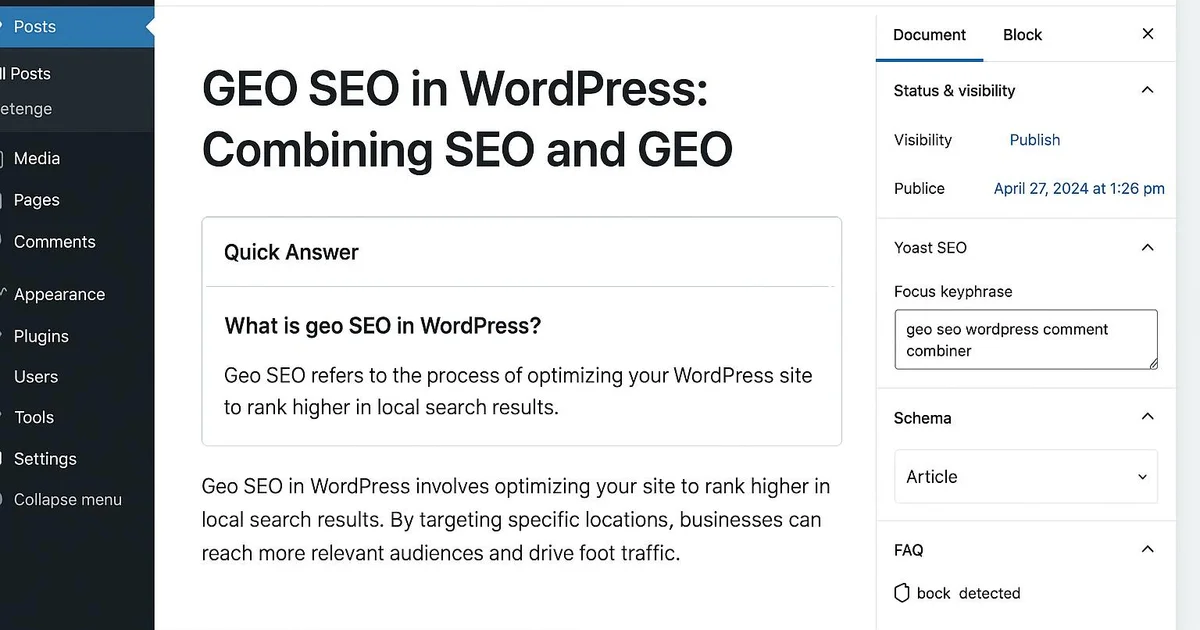
Quick answer
Combining GEO and SEO on WordPress means optimizing each article both for Google rankings (keywords, meta, internal linking via Yoast or RankMath) and for citation by AI engines (direct answers, FAQ, JSON-LD). On WordPress, both approaches stack within the same content without conflict, each reinforcing overall visibility.
Should you choose between classic SEO and GEO (Generative Engine Optimization)? On WordPress, the answer is no: both approaches complement each other perfectly. SEO targets ranking in traditional Google results, while GEO targets citation by generative engines like ChatGPT or Perplexity. A well-structured article can serve both goals at once. The challenge is applying the right optimizations in the right place within WordPress: meta tags via Yoast, JSON-LD structured data, FAQ blocks, direct answers at the start of the article. Selfhook automates this dual optimization at every WordPress publish. In this guide, we'll see how to concretely combine GEO and SEO on your WordPress pages, with the right plugins and workflows. For the fundamentals, check our geo-wordpress-guide-complet.
Why combine GEO and SEO on WordPress instead of choosing?
GEO and SEO aren't competitors: they share the same WordPress content base. Google now uses AI Overviews, which rely on signals close to those of classic SEO (authority, structure, clarity). Optimizing for only one means neglecting a growing share of traffic. On WordPress, an article optimized in Yoast for a keyword can also contain a direct answer citable by ChatGPT. Depending on the topic, this combination can contribute to broader visibility without doubling editorial work. To understand the nuances, read geo-vs-seo-differences.
- SEO targets Google ranking, GEO targets citation by AI engines
- Google's AI Overviews already combine both logics
- A single WordPress article can serve both goals without duplicate content
How to apply SEO and GEO in the same WordPress article?
Concretely, on WordPress, you layer the optimizations. For SEO, use Yoast or RankMath: target keyword, meta title, meta description, clean slug, internal linking. For GEO, add a direct answer at the top of the article, an FAQ block (via the native Gutenberg block or a Schema plugin), and FAQPage/Article JSON-LD. RankMath and Yoast Premium generate part of this markup automatically. The goal is for an engine like Perplexity to find an extractable answer while meeting Google Search Console criteria.
- SEO: configure the target keyword and meta in Yoast or RankMath
- GEO: place a 40-80 word direct answer in the introduction
- Add an FAQ block with FAQPage JSON-LD via a Schema plugin
Which WordPress plugins for a combined GEO-SEO strategy?
Your plugin choice determines your ability to combine both approaches. Yoast SEO and RankMath cover the SEO foundation (meta, sitemaps, readability analysis) and generate basic Schema. For GEO, reinforce with a dedicated Schema plugin (Schema Pro, Schema & Structured Data) to add FAQPage, HowTo or Article precisely. Native Gutenberg blocks let you structure direct answers and lists, formats appreciated by generative engines. Selfhook adds to these plugins to automate dual optimization at publish.
- Yoast SEO or RankMath for meta, sitemaps and SEO analysis
- A Schema plugin (Schema Pro, RankMath) for advanced GEO JSON-LD
- Gutenberg blocks to structure FAQ, lists and direct answers
How to measure the results of the GEO-SEO combination?
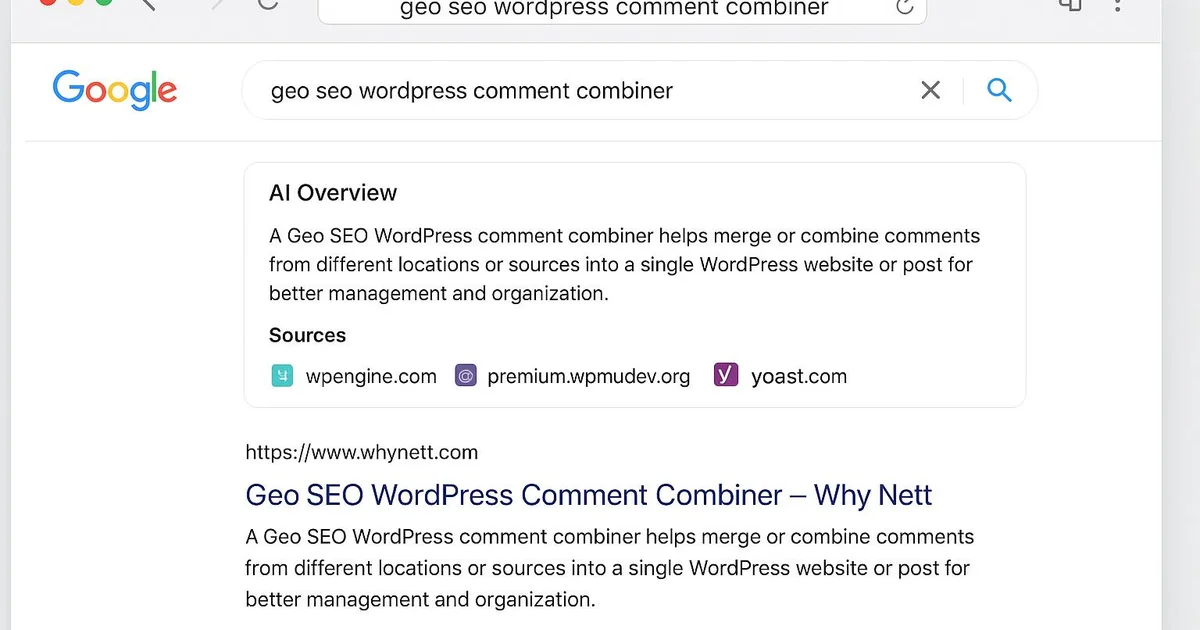
Tracking differs by objective. For SEO, Google Search Console remains the reference: impressions, clicks, average position, queries. For GEO, measurement is more indirect: you monitor citations in ChatGPT, Perplexity or Gemini by testing prompts related to your topic, and observe traffic evolution from these sources in your analytics. On WordPress, cross-referencing this data helps adjust content. No approach ensures results: gains should be measured in Search Console and adjusted depending on the topic.
- Track impressions, clicks and position in Google Search Console
- Test prompts on ChatGPT and Perplexity to verify citations
- Analyze referral traffic from AI engines in your analytics
Take a WordPress article targeting « WordPress migration ». Step 1: in RankMath, set the keyword, meta title (58 characters) and description (155 characters). Step 2: at the top of the article, write a 60-word direct answer to « how to migrate a WordPress site ». Step 3: add a Gutenberg FAQ block with 4 questions, which automatically generates FAQPage JSON-LD. Step 4: link to 3 articles in the cluster. Result generally observed on this type of page: Search Console shows growing impressions over several weeks, and tests on Perplexity may reveal a partial citation of the direct answer. Timelines vary depending on topic and domain authority.
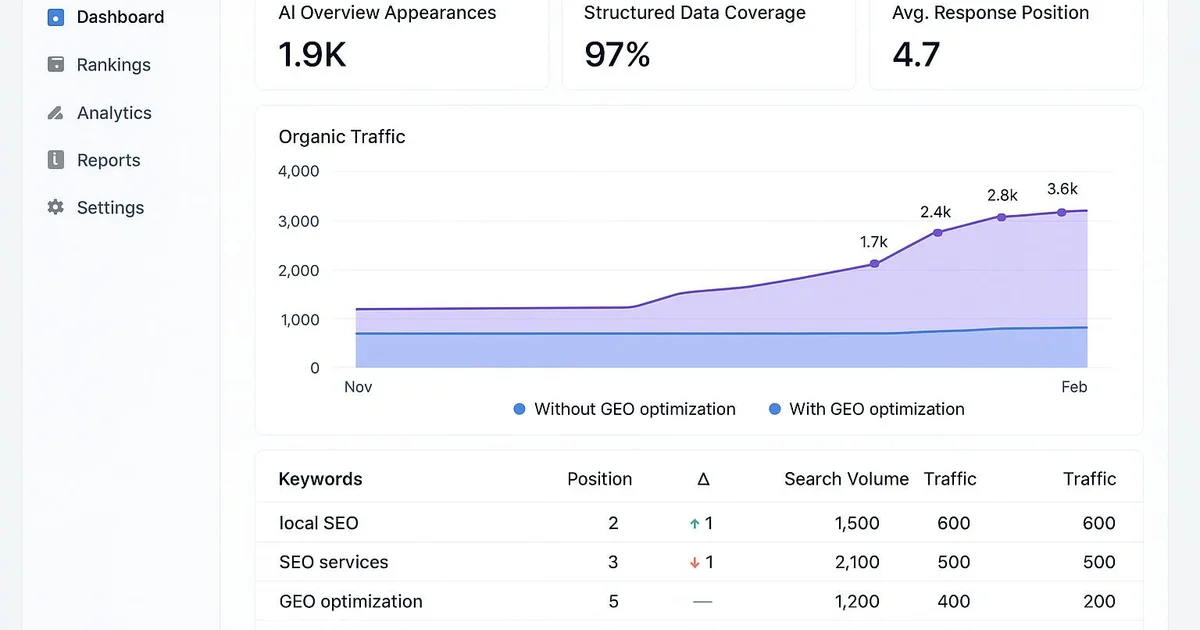
With Selfhook, the GEO-SEO combination is automated at every WordPress publish. During content generation, Selfhook produces a structured article with a direct answer, a citable definition and FAQ blocks. Its SEO audit simultaneously checks the target keyword, meta tags and internal linking, then applies markup compatible with Yoast or RankMath. FAQPage and Article JSON-LD is injected automatically to maximize the chances of citation by ChatGPT or Perplexity. Automated WordPress publishing then pushes the optimized article on both fronts, with no manual step. You thus apply a consistent GEO-SEO strategy across your entire cluster.
Key takeaways
GEO and SEO combine within the same WordPress article without conflict
Use Yoast or RankMath for the SEO foundation and a Schema plugin for GEO
Place a 40-80 word direct answer in the introduction of each article
Add an FAQ block with FAQPage JSON-LD to favor citation by AI engines
Measure SEO in Search Console and GEO through prompt testing
Selfhook automates the dual optimization at every WordPress publish
Selfhook centralizes content generation, SEO/GEO optimization, WordPress publishing and tracking in a single workflow.
See all features →FAQ
Do I have to choose between GEO and SEO on WordPress?
No, both approaches are complementary. SEO targets Google ranking and GEO targets citation by AI engines. On WordPress, a single article can be optimized for both with the right plugins like Yoast or RankMath, without duplicating the work.
Which WordPress plugins should I use to combine GEO and SEO?
Yoast SEO or RankMath cover the SEO foundation (meta, sitemaps, analysis). For GEO, a Schema plugin like Schema Pro or the RankMath Schema module lets you add FAQPage and Article in JSON-LD. Gutenberg blocks help structure direct answers.
Does GEO replace classic SEO?
No. SEO remains essential for traditional Google traffic, still the majority in most cases. GEO adds to it to capture the growing visibility of generative engines. Combining both is generally more effective than favoring only one.
How do I know if my content is cited by ChatGPT or Perplexity?
There is no official report yet like Search Console. You manually test prompts related to your topic on ChatGPT, Perplexity or Gemini, then observe referral traffic from these sources in your analytics. Results vary depending on the topic.
Is JSON-LD mandatory for GEO on WordPress?
It's not strictly mandatory, but it can contribute to better content understanding by engines. On WordPress, RankMath or a Schema plugin generate this markup automatically, notably the FAQPage type which is particularly useful for GEO.
Operational checklist
Related cluster articles
Automate with Selfhook
Conclusion
Combining GEO and SEO on WordPress isn't a choice but a necessity as generative engines grow in importance. By layering classic SEO optimizations (Yoast, RankMath, linking) and GEO ones (direct answers, FAQ, JSON-LD) in each article, you cover both Google and AI engines without duplicating your editorial work. Gains should still be measured in Search Console and adjusted depending on the topic. Selfhook applies this dual optimization automatically at every WordPress publish, from AI generation to SEO audit. To go further, check our generative-engine-optimization-guide and build a consistent cluster.
Ready to automate your SEO content?
Book a 30-minute video demo: we show you Selfhook on your WordPress site, from SEO audit to publishing.
Request a demo