
llms.txt vs robots.txt: differences on WordPress
Quick answer
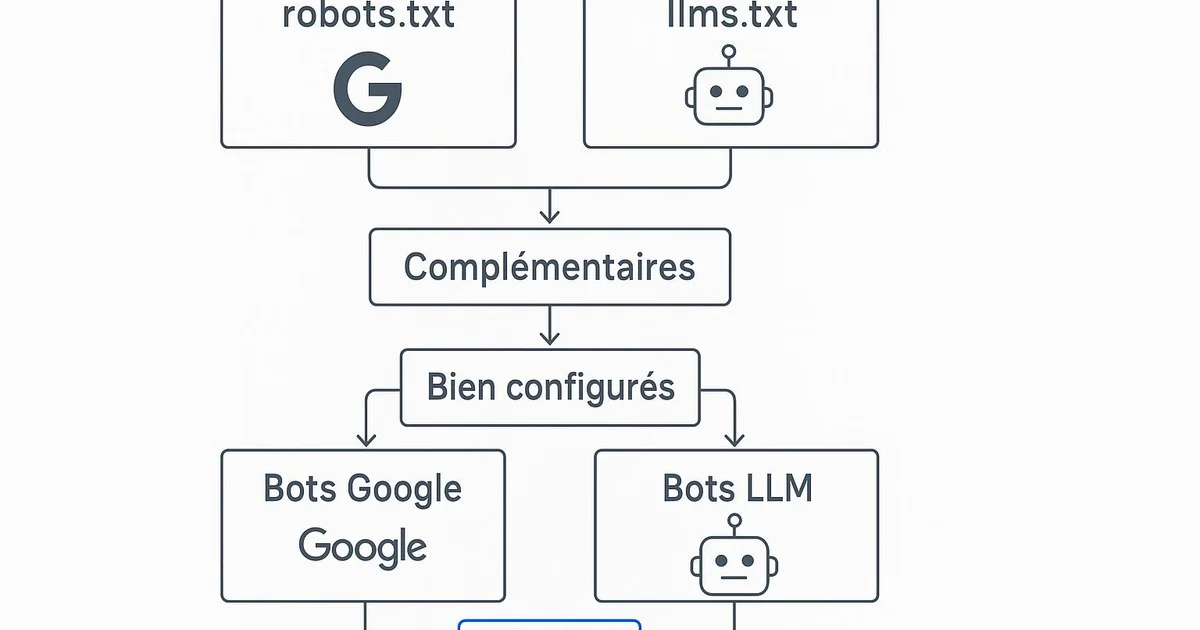
llms.txt and robots.txt are two distinct files serving different bots. robots.txt controls crawling by classic search engines (Googlebot, Bingbot) through allow/disallow directives. The newer llms.txt offers Markdown-structured content to language models (ChatGPT, Perplexity) to ease their understanding. On WordPress, both are complementary and sit at the site root.
Since the rise of answer engines like ChatGPT, Perplexity and Google AI Overviews, a question keeps coming up among WordPress publishers: do these AIs need a new file, or is robots.txt enough? The confusion is understandable, since both files live at the site root and speak to bots. Yet robots.txt and llms.txt do not serve the same function nor address the same agents. One governs crawling and indexing, the other eases reading and citation by language models. On WordPress, misunderstanding this distinction can lead to accidentally blocking useful crawlers or missing a GEO visibility opportunity. This article details the technical differences, concrete use cases and how to manage both files cleanly. Tools like Selfhook automate their generation and maintenance to avoid the configuration mistakes commonly seen on WordPress.
Definition
llms.txt is a Markdown file placed at a site's root to guide language models toward its priority content, while robots.txt is the historical text file that regulates access for classic crawling robots.
What is the fundamental difference between llms.txt and robots.txt?
robots.txt has existed since 1994 and relies on the Robots Exclusion Protocol. Its role is to tell crawling robots what they may or may not crawl: Googlebot, Bingbot, or AI crawlers like OpenAI's GPTBot. It uses simple directives — User-agent, Disallow, Allow — and a link to the sitemap. It is an access-control file, not a content file. llms.txt, proposed in 2024, takes the opposite logic. Instead of forbidding or allowing, it offers Markdown-structured content that guides language models toward the most useful pages of the site. It resembles an editorial table of contents: site title, description, links to key resources with annotations. The goal is to help an LLM quickly understand what the site covers and which pages to cite. On WordPress this distinction is concrete. robots.txt is generated dynamically by WordPress (or by a plugin such as Yoast or RankMath) and lives at yoursite.com/robots.txt. llms.txt, on the other hand, must be created and placed at the root, typically at yoursite.com/llms.txt. Both coexist without conflict because they address different mechanisms: one regulates access, the other guides reading.
- robots.txt: controls crawling (Disallow/Allow), directive format
- llms.txt: guides LLM understanding, Markdown format
- robots.txt manages GPTBot, Googlebot, PerplexityBot at access level
- llms.txt blocks nothing, it structures and recommends content
How do robots.txt and llms.txt coexist on WordPress?
On WordPress both files live at the domain root but follow different generation paths. robots.txt is a virtual file generated by WordPress core; SEO plugins like Yoast SEO or RankMath let you edit it through their interface without touching the server. There you declare, for instance, whether GPTBot can crawl the site, reference the Yoast sitemap, and block technical directories like /wp-admin/. llms.txt is not natively handled by WordPress nor by Yoast to date. You must either place it manually at the root via FTP or your host's file manager, or use a dedicated plugin or service that generates it from the site structure. This is where an automation tool becomes useful, since keeping llms.txt up to date manually with every new post is tedious. Ideal coexistence relies on complementarity. robots.txt decides who accesses what; if you block GPTBot in robots.txt, your llms.txt will have little effect for ChatGPT since the crawler cannot retrieve the content. You must therefore align the two: allow the relevant AI crawlers in robots.txt, then offer them a well-structured llms.txt. To dig deeper into configuration, see our guide crawlabilite-llm-robots-txt-seo which details directives per bot.
- robots.txt: editable via Yoast or RankMath within WordPress
- llms.txt: manual FTP upload or dedicated plugin/service
- Align permissions: don't block GPTBot if you target ChatGPT
- Reference the sitemap in robots.txt, structure priorities in llms.txt
When should you favor one over the other for your GEO strategy?
The choice is not exclusive: on a WordPress site aimed at visibility, both files have their place. robots.txt remains essential for basic crawl control. You need it to prevent robots from indexing internal search result pages, admin areas or URL parameters generating duplicate content. It is a classic SEO foundation no site should neglect. llms.txt operates within a GEO (Generative Engine Optimization) logic. If your goal is to be cited by ChatGPT, Perplexity or Gemini, offering a clear map of your most reliable content may, in some cases, contribute to improving their discovery. However, adoption of llms.txt by major engines remains partial and evolving: no official standard mandates its respect, and its real impact should be observed case by case rather than presented as a given. In practice, on WordPress, an SEO team will start by locking down robots.txt via RankMath or Yoast, then add an llms.txt once the editorial structure is stable. A site with strong topical authority — several well-organized clusters — benefits more from an llms.txt, since it can highlight its pillar pages. To understand the file's fundamentals, our article llms-txt-quest-ce-que-cest offers a complete introduction, and llms-txt-wordpress-guide details step-by-step implementation.
- robots.txt: mandatory SEO foundation, crawl and indexing control
- llms.txt: optional GEO lever, visibility in answer engines
- llms.txt impact to measure case by case, adoption still partial
- Prioritize robots.txt then add llms.txt once structure is mature
Selfhook manages both files in a complementary way on WordPress. During content generation and automated publishing, Selfhook updates the llms.txt at the site root to reference new pillar pages of the cluster, with their Markdown annotations. In parallel, its SEO audit checks that robots.txt doesn't conflict — for example that it doesn't disallow GPTBot or PerplexityBot while you target those engines. You thus keep a healthy robots.txt for classic crawling and an up-to-date llms.txt for GEO visibility, without manual FTP intervention on every new article.
Selfhook centralizes content generation, SEO/GEO optimization, WordPress publishing and tracking in a single workflow.
See all features →FAQ
Does llms.txt replace robots.txt?
No. Both files serve different functions and coexist. robots.txt controls crawler access, while llms.txt guides language model understanding. On WordPress, you should keep both.
Where should llms.txt be placed on a WordPress site?
At the domain root, at yoursite.com/llms.txt, like robots.txt. Unlike robots.txt, WordPress doesn't generate it natively; you must upload it via FTP, a dedicated plugin, or a service like Selfhook.
Should you block AI crawlers in robots.txt?
It depends on your strategy. If you target visibility in ChatGPT or Perplexity, it's better to allow GPTBot and PerplexityBot. Blocking them would render your llms.txt ineffective for those engines.
Do Yoast or RankMath handle llms.txt?
As of today, neither Yoast SEO nor RankMath natively generate llms.txt. They handle robots.txt and sitemaps. For llms.txt, a dedicated automation service is still needed on WordPress.
An often overlooked point: llms.txt has no binding force. Unlike robots.txt, whose exclusion protocol is respected by major crawlers, no engine is obliged to read or follow llms.txt. Its adoption is an emerging convention, not an imposed standard. Consequently, real LLM access to your content depends first on robots.txt and on the effective crawlability of pages. A perfect llms.txt on a site that blocks GPTBot achieves nothing: the technical hierarchy always trumps editorial recommendation.
Sources
- Robots Exclusion Protocol (RFC 9309) — Official specification of how robots.txt works, formalized by the IETF.
- llms.txt proposal (llmstxt.org) — Originating initiative describing the format and purpose of the llms.txt file.
- OpenAI documentation on GPTBot — Explains how to allow or block OpenAI's crawler via robots.txt.
- Google Search Central — Reference on robots.txt directives and Googlebot behavior.
Common mistakes
Confusing the two files
Believing llms.txt replaces robots.txt leads to neglecting crawl control, the essential foundation of any WordPress site.
Blocking GPTBot while targeting GEO
Disallowing GPTBot in robots.txt makes your llms.txt useless for ChatGPT, since the content will never be retrieved.
Forgetting to update llms.txt
A frozen llms.txt that no longer reflects the site's editorial structure loses all relevance for language models.
Placing llms.txt in the wrong location
Uploaded anywhere but the domain root, the file won't be found by AI crawlers that look for it at /llms.txt.
Related cluster articles
Reference guides
Automate with Selfhook
Conclusion
robots.txt and llms.txt are not opposites: they form a complementary pair on WordPress. The former regulates access for classic crawlers and AI bots, the latter guides language models toward your priority content. The golden rule is alignment: allow the crawlers you target in robots.txt, then offer them a clear, up-to-date llms.txt. GEO impact remains to be measured case by case, as adoption is still emerging. To keep both files consistent without manual handling on every publish, Selfhook automates their generation and checks their compatibility directly within your WordPress workflow.
Ready to automate your SEO content?
Book a 30-minute video demo: we show you Selfhook on your WordPress site, from SEO audit to publishing.
Request a demo