
Long-tail Search Console: Find and Use Your Queries
Quick answer
Long-tail queries in Search Console appear in the Performance report when you filter for queries with 3+ words that have impressions but few clicks. These low-competition queries can contribute to qualified traffic. Sort by impressions, spot positions 5 to 20, then create dedicated content to measure in Search Console.
Do you have hundreds of queries in Search Console generating impressions but almost no clicks? These long-tail queries are an often-ignored goldmine of opportunity. Every day, people type precise questions for which your site appears at position 8, 12 or 15 — too low to get clicked, yet relevant enough to deserve a dedicated page. The problem: manually extracting these queries, grouping them by intent and producing the matching content takes considerable time. This tutorial shows you exactly how to spot these opportunities in Search Console, prioritize them and turn them into articles. By the end, you'll have a repeatable workflow. Selfhook can then automate the detection of these keywords and the writing of targeted articles, so you move from analysis to publishing without friction.
Definition
Long-tail in Search Console refers to multi-word search queries with low individual volume but high collective numbers, which Google surfaces in the Performance report for each page of your site.
How do you identify long-tail in Search Console?
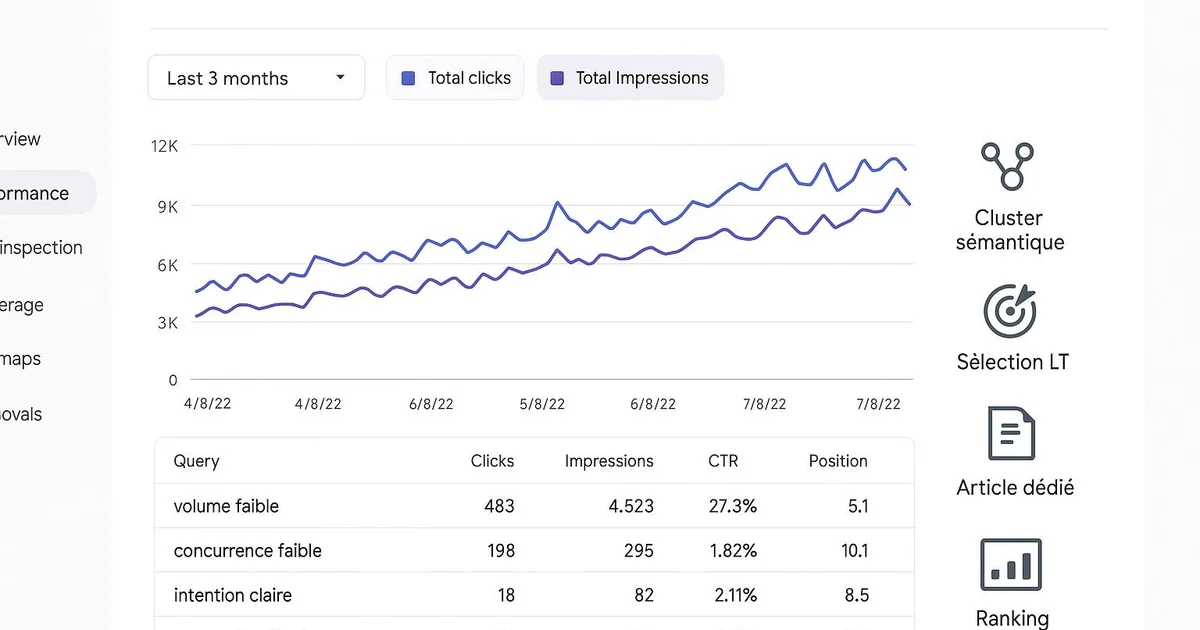
Open Google Search Console, then the Performance report on search results. Enable all three metrics: clicks, impressions and average position. Switch to the Queries tab. This is where everything happens. To isolate long-tail, apply a filter on queries containing a high number of words: start by filtering those that include question terms like "how", "why", "which" or "best". These phrasings signal precise intent, typical of long-tail. Then sort by descending impressions to spot queries that have demand but few clicks. The most interesting queries usually show many impressions, a low click-through rate and an average position between 5 and 20. This indicates Google finds you relevant, but not quite enough to place you at the top. Also consider exporting the data to work with it in a spreadsheet: Search Console limits the display, and an export lets you cross several filters. Additional tip: go to the report by page, select a specific URL, then look at its associated queries. You'll often discover long-tail terms the page ranks for without having been optimized for them — all signals to exploit. To go further, the article on automating Google Search Console details how to retrieve this data via the API rather than by hand.
- Open Performance > Queries tab
- Filter on "how", "why", "which", "best"
- Sort by descending impressions
- Spot average positions between 5 and 20
- Export to a spreadsheet to cross filters
Why is long-tail worth the effort?
Long-tail represents, depending on the sector, a significant share of overall organic traffic — often estimated as the majority once all terms are added up. Even if each individual query generates little volume, their cumulative effect can contribute significantly to your visibility. Three main reasons explain the value of these queries. First, competition is generally lower: a 5-word query often has fewer optimized pages competing than a generic keyword, making ranking easier. Second, intent is clear. Someone typing "how to configure Yoast for a multilingual site" knows exactly what they're looking for, which usually translates into a better conversion rate than vague queries. Third, long-tail feeds your topical authority: by covering many variations around the same subject, you send Google a signal of complete coverage, which can strengthen your pillar pages. Long-tail also plays a growing role in generative engines. ChatGPT, Perplexity and Google's AI Overviews often cite content that answers precise, naturally phrased questions. Producing structured answers to these long queries increases your chances of being cited in those AI responses. In short, ignoring long-tail means leaving qualified traffic on the table — traffic that's already within reach in your own Search Console data.
- Generally lower competition to rank
- Precise search intent, better conversion
- Reinforcement of topical authority
- Citation potential by ChatGPT, Perplexity and AI Overviews
How do you turn these queries into content that performs?
Spotting queries isn't enough: you have to exploit them. Start by grouping your long-tail queries by intent and theme. Several close queries can be handled in a single article, while distinct intents deserve separate pages. For example, "how to install Yoast" and "configure Yoast step by step" belong in the same tutorial article. For each group, decide: enrich an existing page already ranking at position 8-15, or create a new page if no URL covers the topic. Enriching an existing page often yields faster results, because Google already knows it. Then write by directly answering the query: use the user's exact phrasing in an H2 title, give a concise answer at the start of the section, then develop. This structure favors both classic ranking and citation by AI engines. Optimize with Yoast or RankMath to check density, meta descriptions and internal linking. Link each new article to your pillar pages to consolidate your topical authority. Finally, measure. Return to Search Console four to six weeks after publishing to observe the evolution of position and CTR on the targeted queries. If a page progresses but stays on page 2, add sub-sections or examples. This cycle — detect, produce, measure, adjust — is at the heart of an effective long-tail strategy. The article on keyword research automation complements this approach on the detection side.
- Group queries by intent and theme
- Choose between enriching a page or creating a new one
- Use the exact phrasing in H2s
- Optimize with Yoast or RankMath and link to pillars
- Measure position and CTR in Search Console after 4-6 weeks
With Selfhook, the full workflow becomes automatic. Selfhook connects to Search Console, identifies high-potential long-tail queries — high impressions, position between 5 and 20, low CTR — then generates targeted articles via its AI generation engine. Each piece of content is optimized for Yoast, structured with H2s reflecting real user phrasings, then automatically published on WordPress. Selfhook also links new articles to your pillar pages to strengthen topical authority. You thus move from manual analysis of hundreds of queries to a continuous publishing flow, while keeping performance tracking in Search Console to measure the real impact.
Selfhook centralizes content generation, SEO/GEO optimization, WordPress publishing and tracking in a single workflow.
See all features →Operational checklist
Action plan
- 1
Extract the data
Export queries from the Search Console Performance report over the last 3 months to have a sufficient data volume.
- 2
Filter the long-tail
Isolate 3+ word queries with high impressions, position 5-20 and low CTR. These are your priority opportunities.
- 3
Group by intent
Gather close queries into thematic clusters to decide which pages to create or enrich.
- 4
Produce the content
Write articles answering each group directly, with H2s reflecting real phrasings and a concise answer up front.
- 5
Optimize and publish
Check optimization with Yoast, add internal links to pillars, then publish on WordPress.
- 6
Measure and adjust
Return to Search Console after 4 to 6 weeks to track position and CTR, and enrich pages that stall.
Common mistakes
Ignoring low-CTR queries
A query with many impressions and few clicks often signals a content opportunity, not a failure.
Creating one page per query
Multiplying near-identical pages dilutes authority; better to group close queries into a single complete article.
Neglecting page 2 of results
Positions 11-20 are the most profitable to work on, since a small gain can tip you onto the first page.
Forgetting to measure after publishing
Without returning to Search Console, it's impossible to know if the content actually improved position and traffic.
FAQ
What is a long-tail keyword in Search Console?
It's a query made up of several words, often a precise question, that Google surfaces in the Performance report. It individually generates little volume, but the sum of these queries can represent a majority of traffic depending on the topic.
How many words define a long-tail query?
There's no official threshold, but queries of 3 words or more are generally considered long-tail. Question terms like "how" or "why" are good indicators of precise intent.
How do you prioritize which long-tail queries to use?
Focus on queries with many impressions, an average position between 5 and 20 and a low CTR. These conditions indicate Google finds you relevant without placing you at the top, offering potential for quick progress.
Can long-tail detection be automated?
Yes. Via the Search Console API or a tool like Selfhook, you can automatically extract high-potential queries and trigger the writing of matching content, to then measure in Search Console.

Related cluster articles
Automate with Selfhook
Conclusion
Long-tail in Search Console is a source of qualified traffic already present in your own data. By filtering multi-word queries at positions 5-20 with a low CTR, you identify concrete opportunities to turn into content. The method has four steps: detect, group, produce, measure. Repeat this cycle and your topical coverage expands progressively. To avoid manually analyzing hundreds of queries, Selfhook automates long-tail keyword detection and generates targeted articles, published directly on WordPress. Start today with an export of your Performance report: your next winning pages are already there.
Ready to automate your SEO content?
Book a 30-minute video demo: we show you Selfhook on your WordPress site, from SEO audit to publishing.
Request a demo