
Impressions Without Clicks in Search Console: Understand and Fix
Quick answer
Impressions without clicks in Search Console mean your pages appear in Google's results but don't earn clicks. This often points to an unappealing title, meta description, or low ranking position. Analyzing the click-through rate (CTR) helps you identify which pages to optimize first.
You open Google Search Console and one figure jumps out: thousands of impressions, but very few clicks. It's a frustrating situation, yet an extremely common one and, above all, full of opportunity. An impression means Google showed your page to a searcher; the absence of a click means that, for some reason, your result wasn't chosen. Understanding why your pages appear without converting into visits is one of the most cost-effective ways to gain traffic without producing new content. In this tutorial, we explain step by step how to read this data in Search Console, what causes a low click rate, and how to act concretely. We'll also see how Selfhook automates the analysis of the impressions/clicks ratio to quickly spot the titles and meta descriptions worth reworking, which ties into our approach to SEO quick wins from Search Console.
Definition
"Impressions without clicks" refers to the phenomenon seen in Google Search Console where a page appears in search results (an impression) without generating any click from users.
What do impressions without clicks really mean?
Before acting, you need to understand the vocabulary. In Google Search Console, an "impression" is counted each time a link to your site appears in a searcher's results, whether or not they scroll down to your position. A "click" is only recorded when a user actually clicks on your result. The ratio between these two numbers is called the CTR (Click-Through Rate). A page with many impressions but few clicks reveals a gap: Google considers your content relevant enough to display, but searchers don't choose it. Several factors can explain this, and it's important not to jump to conclusions. Among the most commonly observed causes:
- A low average position (page 2 or bottom of page 1), where real visibility is limited
- An uncompelling title or one misaligned with search intent
- A missing, truncated, or unconvincing meta description
- The presence of an AI Overview or featured snippet capturing the click before you
- Informational queries where the user finds the answer directly in the SERP
How do you analyze the impressions/clicks ratio in Search Console?
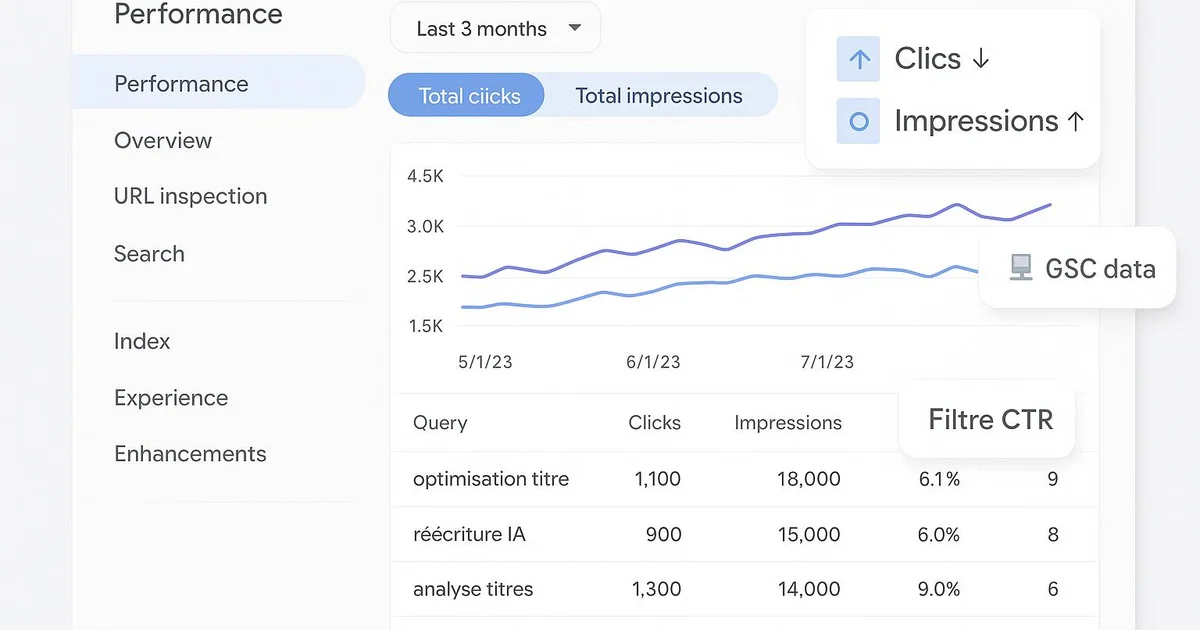
The analysis takes place in the "Search results" report of Google Search Console. Start by enabling all four metrics: total clicks, total impressions, average CTR, and average position. This gives you an overview, but the real work begins at the page and query level. In the "Pages" tab, sort by descending impressions, then check the CTR column. A page combining high impression volume with a CTR well below your site average is a priority candidate for optimization. Conversely, a well-ranked page (average position between 1 and 3) with a low CTR deserves special attention: the problem almost always comes from the title or meta description, not the ranking. Remember to cross-reference this with the "Queries" tab. You'll sometimes discover that your page ranks for secondary or poorly targeted keywords, explaining a volume of impressions with no real intent to click. Also compare periods: a sudden CTR drop can signal the appearance of an AI Overview or a more attractive competitor. A few useful benchmarks, to measure in Search Console depending on the topic:
- Position 1 to 3 with low CTR: rework title and meta first
- Position 4 to 10: aim for a position gain via content and internal linking
- Position 11+: impression volume is often misleading, click impact limited
- Abnormally low CTR across several pages: check competing rich results
How do you turn impressions into clicks?
Once priority pages are identified, optimization mainly relies on elements visible in the SERP: the title (title tag) and the meta description. These two elements are your storefront and can directly contribute to improving CTR, without touching your position. For the title, aim for clarity and relevance to search intent. Include the main keyword, ideally at the start, and add a differentiating element: a year, a number, a concrete benefit. Avoid titles truncated beyond roughly 60 characters, as Google may rewrite or cut them. Tools like Yoast or RankMath help you preview the SERP appearance directly in WordPress. The meta description, while not a direct ranking factor, strongly influences the decision to click. Write a compelling sentence of 145 to 160 characters that captures the intent and offers a clear reason to click. Make sure it's neither empty nor duplicated across several pages. Beyond title and meta, consider structured data (schema.org) to earn rich results: review stars, FAQs, prices. These visual elements expand your result's footprint and can improve CTR in some cases. Finally, for pages sitting on page 2, the goal remains to gain position through more complete content and better internal linking — a topic covered in our guide on automating Google Search Console. Systematically measure the effect of each change over four to eight weeks.
With Selfhook, analyzing the impressions/clicks ratio is automated. The tool connects to Search Console, identifies pages with high impression volume but low CTR, and ranks them by gain potential. For each detected page, Selfhook's SEO audit flags titles that are too long, missing or weak meta descriptions, then proposes AI-generated rewrites aligned with search intent. You can then apply the corrections and publish directly to WordPress via automated publishing. The result: you turn dormant impressions into measurable clicks, without producing new content or spending hours in reports.
Selfhook centralizes content generation, SEO/GEO optimization, WordPress publishing and tracking in a single workflow.
See all features →Operational checklist
FAQ
Why do I have many impressions but few clicks?
It means Google displays your pages in results, but searchers don't click. Common causes are a low average position, an unattractive title, a weak meta description, or an AI Overview answering before you.
What is a good CTR in Search Console?
There's no universal value, as CTR depends heavily on position and topic. Instead, compare each page to your own site average and to equivalent positions. A CTR clearly below that benchmark signals a title or meta worth optimizing.
Do impressions without clicks hurt SEO?
They don't directly penalize your ranking, but represent untapped potential traffic. A persistently low CTR on high positions can in some cases be read as a signal of limited relevance, which is why optimizing titles and meta descriptions matters.
How do I know if an AI Overview is taking my clicks?
Watch for a CTR drop while keeping a good position and stable impression volume. Then check directly in Google whether an AI Overview or featured snippet appears for your main queries.
Common mistakes
Ignoring average position
A low CTR on page 2 is normal; optimizing the title won't change much while the position stays low.
Changing everything at once
Editing title, meta, and content simultaneously makes it impossible to know which change actually improved CTR.
Neglecting the meta description
Leaving it empty or duplicated deprives Google of a controlled snippet and often reduces the urge to click.
Measuring too soon
Judging an optimization's effect after a few days is misleading, as CTR data needs several weeks to stabilize.

Related cluster articles
Reference guides
Automate with Selfhook
Conclusion
Impressions without clicks aren't a failure, but a reservoir of opportunity. By correctly reading the clicks/impressions ratio in Search Console, you spot the pages Google already deems worth displaying and that often just need to be made more attractive through a better title or a carefully written meta description. It's one of the fastest SEO levers to activate. To go further and automate this analysis, Selfhook continuously identifies titles and meta descriptions to optimize, proposes AI rewrites, and publishes them to WordPress. Turn your dormant impressions into measurable clicks, without creating a single new article.
Ready to automate your SEO content?
Book a 30-minute video demo: we show you Selfhook on your WordPress site, from SEO audit to publishing.
Request a demo