
Automate Google Search Console: complete 2026 guide
Quick answer
Automating Google Search Console means extracting and processing your performance data (clicks, impressions, position, CTR) via the API or third-party tools, without manual exports. This helps detect quick wins, track variations and prioritize content. Depending on the setup, you can generate recurring reports and continuously feed your SEO decisions.
Google Search Console holds valuable data, but exploiting it manually is time-consuming: CSV exports, pivot tables, repetitive weekly analysis. For a WordPress publisher or an agency managing several sites, this work quickly becomes unmanageable. Automating Google Search Console changes everything: the official API retrieves data programmatically, monitors positions and identifies pages close to the top 10. In some cases, this automation reveals opportunities invisible in the standard interface. Selfhook relies on exactly this data to spot SEO quick wins and suggest content to create or optimize. This guide details automation methods, from the raw API to no-code tools, including integration into a content production workflow. The goal: turn a reporting chore into a decision engine, measurable directly in Search Console.
Why automate Google Search Console
The Google Search Console interface limits exports to 1,000 rows and keeps 16 months of history that's hard to exploit manually. Automating data retrieval lets you bypass these constraints and cross-reference metrics over time. For an SEO team, automation frees up time while improving analysis accuracy. It can help detect traffic drops or emerging opportunities earlier.
- Regular position tracking without manual exports
- Detection of pages in positions 11-20 (potential quick wins)
- Alerts on click or impression drops
- Cross-referencing data across months or sites
Methods to automate GSC
Several approaches exist depending on your technical skills. The Search Console API (Search Analytics API) remains the most flexible: it retrieves up to 25,000 rows per request and filters by dimension. No-code tools like Looker Studio, Google Sheets with extensions, or dedicated SEO platforms simplify access. The choice generally depends on your number of sites and need for customization.
- Search Console API: maximum flexibility, requires code (Python, Node.js)
- Looker Studio: native connector, automated visual dashboards
- Google Sheets + add-on: scheduled exports, code-free
- SEO SaaS platforms: built-in automation and recommendations
Extracting quick wins with the API
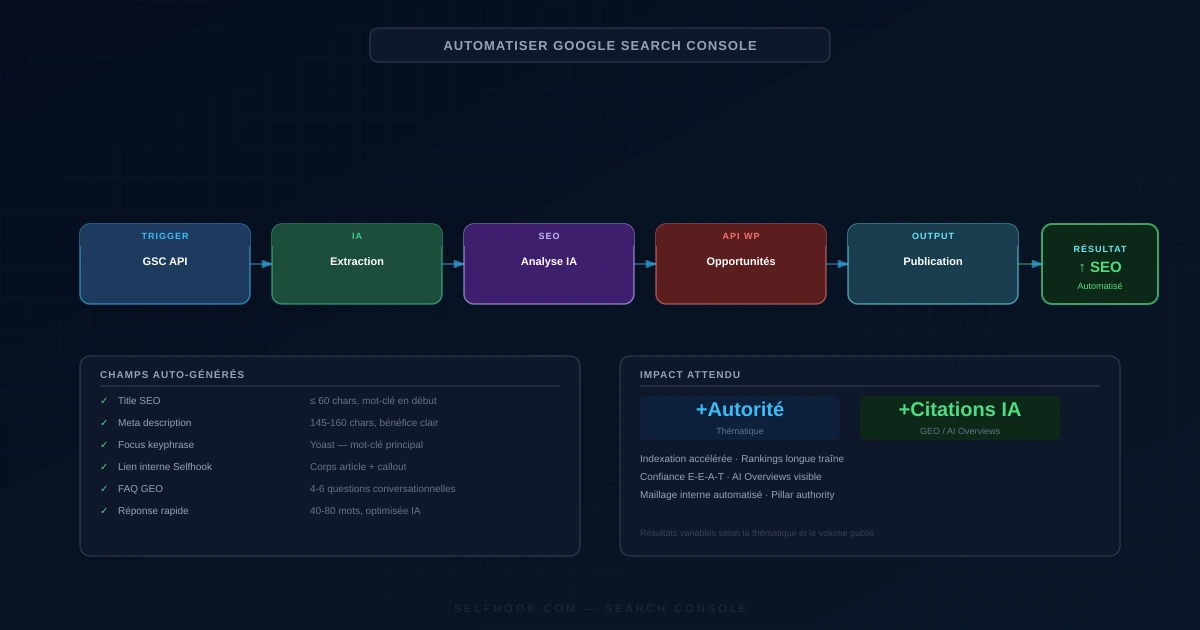
SEO quick wins are generally pages positioned between 11th and 20th place with high impression potential. Via the API, you can filter these queries automatically each week. A page with many impressions but a low CTR often signals a title or meta description that needs reworking. This kind of analysis, done manually, takes hours; automated, it becomes a continuous flow of opportunities to measure in Search Console.
- Filter positions 11-20 by impression volume
- Spot abnormally low CTRs to optimize snippets
- Identify emerging queries without a dedicated page
- Prioritize by impressions-to-effort ratio
Integrating GSC into a content workflow
Automation only matters if it triggers action. Connecting Search Console data to your content production creates a continuous improvement loop: detected queries feed keyword research, quick wins guide Yoast optimizations, and new topics strengthen your topical authority. This approach, combined with keyword research automation, lets you produce content aligned with the real demand observed in your data.
- Turn GSC queries into content briefs
- Feed keyword research with real data
- Optimize existing pages before creating new ones
- Measure the impact of changes in Search Console
Imagine a WordPress site with 200 articles. In Search Console, you filter performance over 3 months and sort by descending impressions among positions 11-20. You spot an article ranked 14th for "automate SEO reporting" with about 3,200 impressions/month but only a 0.8% CTR. By rewriting the title and meta description, then adding two sections addressing related intents, the page can climb toward the top 10. This scenario, done manually, requires scanning hundreds of rows. Automated, the system surfaces these candidates each week, ranked by estimated potential, ready to be handled.
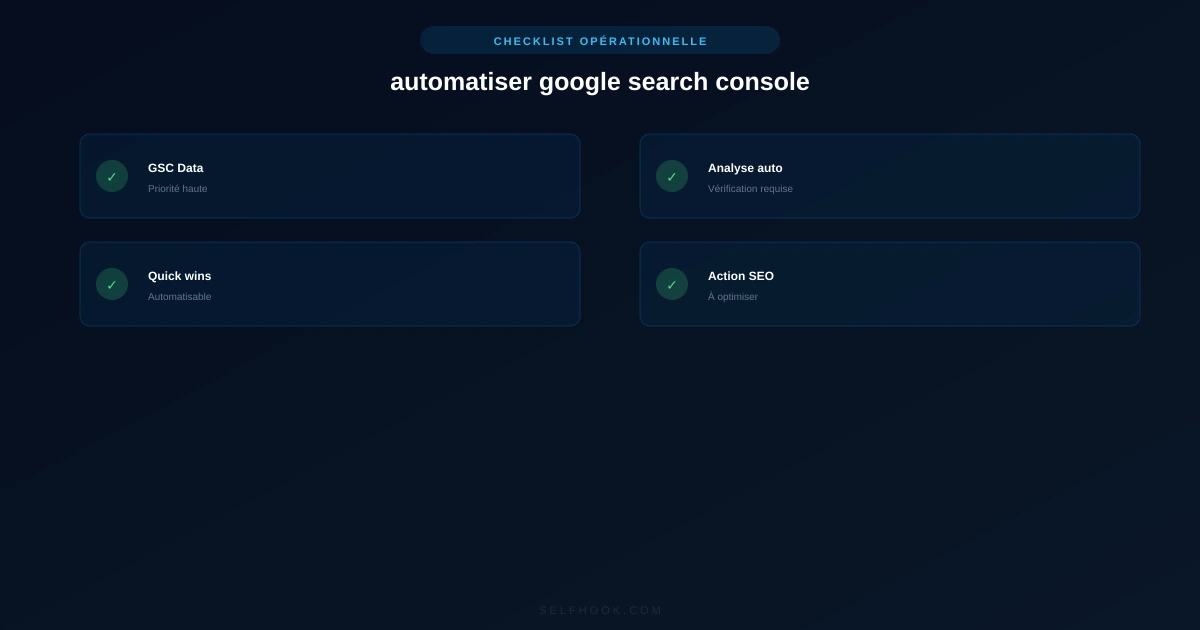
Selfhook connects directly to your Google Search Console data to automate this detection. Rather than exporting and sorting manually, Selfhook identifies quick-win pages (positions near the top 10, low CTR, high impressions) and suggests concrete optimizations. The platform can then generate or enrich the corresponding content, optimize it for Yoast and publish it to WordPress. In some cases, this workflow significantly reduces the time between detecting an opportunity and putting it into production, turning GSC data into measurable actions without repetitive manual work.
Key takeaways
The Search Console API bypasses interface export limits (up to 25,000 rows)
Positions 11-20 with high impressions are priority quick wins
A low CTR often signals a title or meta to optimize
Looker Studio and Google Sheets offer code-free automation
Automation must lead to measurable content actions
Selfhook turns GSC data into optimizations publishable on WordPress
Selfhook centralizes content generation, SEO/GEO optimization, WordPress publishing and tracking in a single workflow.
Discover Selfhook →FAQ
How do I access the Google Search Console API?
You need to enable the Search Console API in Google Cloud Console, create OAuth credentials or a service account, then authorize it on your GSC property. Python or Node.js libraries then make requests easier. This setup usually takes less than an hour for a developer.
Can you automate GSC without coding?
Yes. Looker Studio offers a native connector to build automated dashboards, and Google Sheets add-ons enable scheduled exports. These solutions cover most reporting needs without writing a line of code. For advanced or multi-site analysis, SEO platforms like Selfhook add an automation layer.
What are the Search Console API's limits?
The API limits to 25,000 rows per request and keeps around 16 months of data. Daily request quotas also apply. For longer history, it's recommended to regularly archive data in a database or data warehouse.
How do I automatically identify SEO quick wins?
You filter queries positioned between 11th and 20th place, sorted by impressions. Pages combining high impressions and low CTR are priorities. Automating this filter via the API or a dedicated tool generates a weekly list of opportunities to optimize, to validate in Search Console.
How often should I automate GSC tracking?
A weekly refresh suits most sites to track trends without reacting to daily noise. Since GSC data has a 2-3 day lag, real-time tracking adds little value. Depending on the topic and publishing frequency, a daily cadence may be justified for large publishers.
Operational checklist
Related articles in this cluster
Conclusion
Automating Google Search Console turns tedious reporting into a continuous source of opportunities. By leveraging the API or no-code tools, you detect quick wins earlier, track your positions and feed your content production with real data. The challenge isn't just collecting, but acting: every identified opportunity should lead to a measurable optimization. Selfhook takes this logic all the way by connecting your GSC data to WordPress content generation and publishing. Start by automating quick-win detection, then gradually integrate these signals into your SEO workflow to gain responsiveness and topical authority.
Ready to automate your SEO content?
Discover how Selfhook can help you create and publish quality SEO content
Start for free