
Diagnose a Ranking Drop in Google Search Console
Quick answer
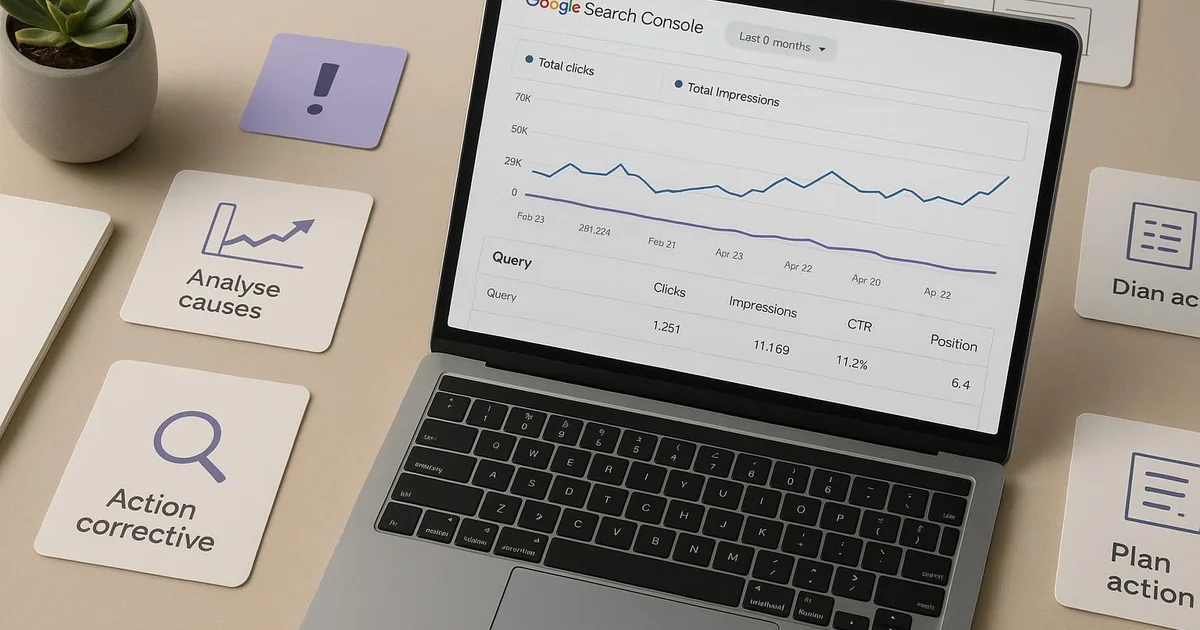
Diagnosing a ranking drop in Search Console means comparing two periods in the Performance report, isolating the affected pages and queries, then correlating the drop with a specific date: a Google update, a site change, or a competitor move. This method usually identifies the cause within minutes.
You open Google Search Console one morning and the verdict is in: your average position has dropped, and organic traffic with it. The first reaction is often panic, followed by unanswered questions. Is it a Google update? A change you made last week? A competitor who published better content? Without a method, the diagnosis can take hours. In this educational guide, we break down the analysis step by step, from the simplest to the most technical, to help you identify the real cause of a ranking drop. We'll see how to read Search Console data, isolate affected pages, and correlate the drop with a trigger date. Tools like Selfhook can speed up this work by automatically matching your drops with Google updates and your own modifications. The goal: move from a vague observation to a precise cause, then to an action plan.
Definition
A ranking drop is a measurable decline in the average ranking of one or more pages in Google search results, visible in the Search Console Performance report through the Average Position metric.
How to read a ranking drop in Search Console?
Before diagnosing, you need to know how to read the data. In Google Search Console, open the Performance report on search results. Four metrics appear: clicks, impressions, CTR (click-through rate), and Average Position. The last one is what interests us here. Average position corresponds to the average ranking of your pages across all queries where they appear. A value moving from 4.2 to 8.7 signals a ranking deterioration. Be careful not to jump to conclusions. A rising average position can sometimes hide good news: if you start ranking for new queries on page 3, your overall average mechanically increases while your strong pages haven't moved. That's why you must always cross-reference position with clicks and impressions. The best practice is to enable period comparison. Click the Date tab, then select "Compare" to oppose two equivalent windows, for example the last 28 days versus the previous 28. Search Console then displays variations in absolute value and percentage. You immediately spot the magnitude of the drop. For a reliable diagnosis, also filter by country and device: a drop may be localized to mobile or a specific market. Finally, keep in mind that Search Console data has a processing delay of 2 to 3 days; the most recent day is often incomplete and should not be used as a reference point.
- Open the Performance report and activate the Average Position metric
- Compare two equivalent periods (28 days vs 28 days)
- Cross-reference position, clicks, and impressions to avoid false signals
- Filter by country and device to localize the drop
Isolate the pages and queries actually affected
A global position drop is rarely uniform. In most cases, the decline concentrates on a limited number of pages, and that's where the investigation should focus. From the Performance report in comparison mode, click the Pages tab. Search Console lists each URL with its position variation. Sort by descending position delta to surface the pages that dropped the most. Often, two or three URLs explain the bulk of the overall decline. Once the culprit page is identified, click it to apply a filter, then switch to the Queries tab. You then see exactly which keywords lost positions. This level of detail is decisive. If a page loses its position on its main query but gains on secondary queries, the problem is different from a page collapsing across all its queries. This is also the stage where you detect a frequent phenomenon: cannibalization. If two of your pages rank for the same query, Google may hesitate and make their positions oscillate, which looks like a drop when it's actually an internal conflict. Our article on SEO cannibalization in Search Console details how to spot this pattern. Also check whether the affected page changed result type: losing a rich snippet, an AI Overview, or a featured snippet can drop CTR and, indirectly, visibility. By isolating the exact scope this way, which page, which query, which device, you transform a vague problem into a precise question, far easier to solve.
- Sort pages by descending position variation
- Filter by URL then analyze the associated queries
- Check for potential cannibalization between two pages
- Verify any loss of rich snippets or featured snippets

Correlate the drop with a trigger date
Identifying the what isn't enough: you need to understand the when to trace the why. The core of the diagnosis consists of placing your position curve on a timeline and looking for the breaking point. Once the pivot date is identified, three families of causes must be examined. First lead: Google algorithm updates. Google officially communicates about its Core Updates and other major updates. If your drop coincides within a few days with a confirmed update, the cause is probably algorithmic and concerns the perceived quality or relevance of your content. Correction then requires fundamental work, not a quick adjustment. Second lead: your own modifications. A title change, a template redesign, a URL migration, an SEO plugin update like Yoast or RankMath, or even a removal of internal linking can sink a page. Keep a log of your site's changes: it's the most underrated diagnostic tool. Comparing the drop date with your WordPress publishing history often reveals the cause in seconds. Third lead: your competitors. If neither Google nor you moved, a competitor may have published more comprehensive content, earned backlinks, or improved their coverage intent. In this case, the drop is relative: you haven't moved back, others have moved forward. Tools like Semrush help monitor these movements. This three-dimensional correlation, Google, you, and competitors, is exactly what automation tools aim to accelerate, as we'll see with Selfhook. Crossing these three sources turns a hypothesis into a well-supported diagnosis.
- Spot the breaking point on the position curve
- Check coincidence with a confirmed Google Core Update
- Cross-reference with your change log (content, template, plugins)
- Analyze competitor activity on the targeted query
Which corrective actions depending on the identified cause?
Once the cause is isolated, the correction plan logically follows. Acting without a diagnosis amounts to treating a symptom at random, which often worsens the situation. Let's look at the responses adapted to each scenario. If the drop comes from a Google Core Update, the priority is editorial quality. Examine whether your content truly answers the search intent, whether it's up to date, whether it demonstrates expertise and experience (the E-E-A-T criteria). An in-depth rewrite, adding concrete examples, and refreshing data can contribute to a recovery, generally observed during the next update, without any ensure of timing. If the cause is an internal change, the correction is often quick. Restore the high-performing title, reinstate the missing redirect, recreate the removed internal linking. In many cases, the position recovers within days of the correction, to be measured in Search Console. If the cause is competitive, you must close the gap. Analyze the page that overtook you: does it cover subtopics you ignore? Is it more recent? Strengthen your content, improve your topical authority on the theme, and monitor the evolution. Finally, if the drop stems from cannibalization, consolidate the competing pages into one or clarify their targeting. In all cases, set up continuous monitoring to detect the next anomaly early. Our guide on SEO traffic drop alerts and the one on automating Google Search Console show how to turn this reactive diagnosis into proactive monitoring. The goal isn't just to fix a drop, but to reduce the time between the incident and its detection.
- Core Update: strengthen quality, E-E-A-T, and search intent
- Internal change: restore the modified or removed element
- Competition: close the coverage and freshness gap
- Cannibalization: consolidate or re-clarify page targeting
With Selfhook, diagnosing a ranking drop is largely automated. The tool correlates each drop detected in Search Console with three sources: your site's modification dates, the Google update calendar, and observed competitor activity. Instead of manually cross-referencing this information, you receive a probable diagnosis within minutes. If the drop follows a WordPress modification, Selfhook flags it directly. Its SEO audit also identifies weakened pages, and its AI generation module can propose strengthened content ready to publish. You thus move from observation to corrective action without wasting time on manual investigation.
Selfhook centralizes content generation, SEO/GEO optimization, WordPress publishing and tracking in a single workflow.
See all features →FAQ
How long does it take to diagnose a ranking drop?
With a structured method, the diagnosis usually takes 15 to 30 minutes. Most of the time goes to isolating affected pages and correlating the drop date with a trigger. Automation tools can reduce this to a few minutes.
Is a rising average position necessarily bad news?
Not always. If you start appearing for new poorly ranked queries, the average position mechanically increases without your strong pages moving back. You must always cross-reference position with clicks and impressions to interpret the data correctly.
How do I know if my drop is due to a Google Core Update?
Compare the breaking point of your position curve with the official update calendar communicated by Google. If the drop coincides within a few days with a confirmed Core Update, the cause is probably algorithmic and linked to content quality.
Can lost positions be recovered after a drop?
In many cases, yes, but timing varies by cause. A corrected technical error often recovers within days. A drop linked to a Core Update may require waiting for the next update after fundamental work, without ensure of timing.
A travel blog publisher notices their average position drop from 5.1 to 11.3 over 10 days. In comparison mode in Search Console, they sort pages by delta and discover that a single URL, their Lisbon guide, explains 80% of the drop. Filtering queries, they see the drop concentrated on "what to do in Lisbon." The breaking point coincides not with a Core Update but with a template redesign where the page H1 was accidentally modified. After restoring the original title, the position recovered to 6.2 in eight days, measured in Search Console. Total diagnosis: about 20 minutes.
Three drop causes and their treatment
| Probable cause | Diagnostic signal | Corrective action |
|---|---|---|
| Google Core Update | Drop coinciding with a confirmed update | Strengthen quality and E-E-A-T |
| Internal change | Drop following a site change | Restore the modified element |
| Competition | No Google or internal change | Close the coverage gap |
| Cannibalization | Two pages oscillating on the same query | Consolidate or re-clarify targeting |
Key takeaways
Always cross-reference average position with clicks and impressions to avoid false signals
Isolate the 2-3 pages explaining most of the drop before acting
Identify the breaking point then correlate it with Google, your changes, or competitors
Keep a site change log: it's the most effective diagnostic tool
Adapt the correction to the real cause rather than treating a random symptom
Action plan
- 1
Measure the magnitude
Enable period comparison in the Performance report and assess the average position variation over 28 days.
- 2
Isolate the scope
Sort pages by position delta, identify the most affected URLs, then analyze their queries.
- 3
Date the breaking point
Spot the exact day the curve shifts to narrow the investigation window.
- 4
Correlate the cause
Cross this date with Google Core Updates, your change log, and competitor activity.
- 5
Apply the correction
Deploy the action adapted to the cause: editorial quality, technical restoration, or content strengthening.
- 6
Monitor recovery
Track the evolution in Search Console over several weeks to confirm recovery.
Operational checklist
Related cluster articles
Automate with Selfhook
Conclusion
Diagnosing a ranking drop in Search Console is nothing random: it's a four-step method, measure, isolate, date, correlate, that transforms an alarming observation into an identified cause. By systematically cross-referencing your data with Google updates, your modifications, and your competitors, you save precious time and act precisely. The next step is automating this monitoring to detect anomalies as soon as they appear. Selfhook automatically correlates your ranking drops with these three sources and suggests correction paths ready to deploy. You thus move from reactive tracking, endured every morning, to proactive monitoring that durably protects your organic visibility.
Ready to automate your SEO content?
Book a 30-minute video demo: we show you Selfhook on your WordPress site, from SEO audit to publishing.
Request a demo